AWS FinOps Agent Is in Public Preview — and It Changes Who Owns Cloud Cost

Hardik Shah
Cloud Architect & AWS Expert
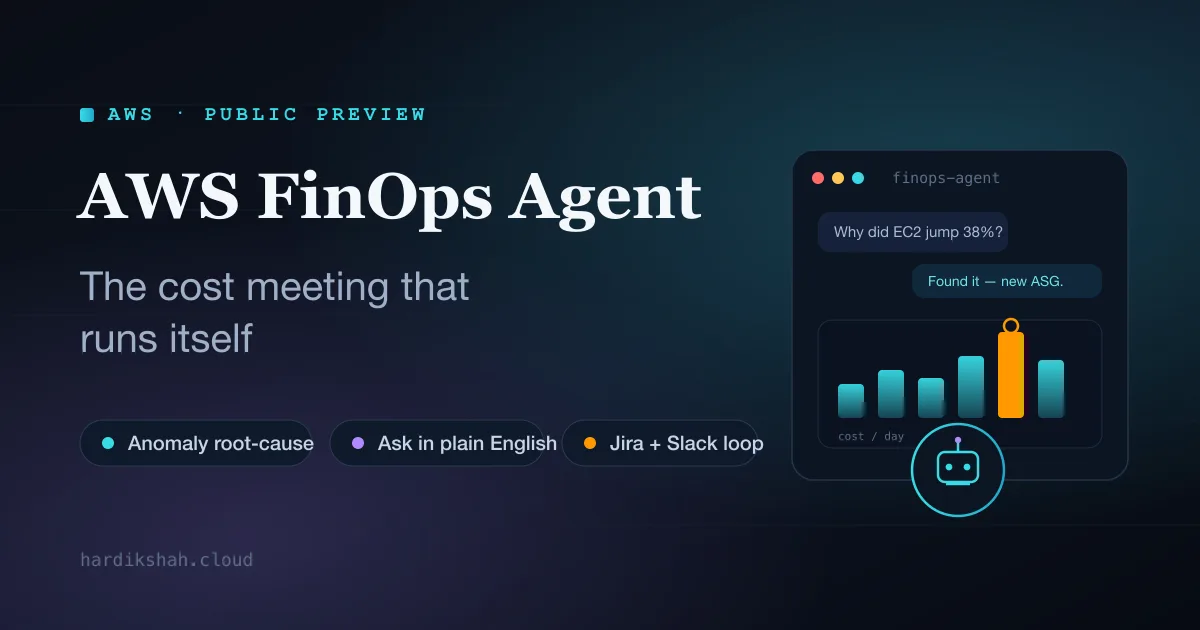
Every engineering org has the same awkward ritual. The bill lands, it's up a few percent, and somebody from finance pings the platform channel asking what happened. A staff engineer who'd rather be shipping spends the next two hours in Cost Explorer, slicing by service and tag until a story emerges. By the time they have an answer, the spike is two weeks old and nobody really remembers the deploy that caused it. AWS just put a tool into public preview that's aimed squarely at killing that ritual: the AWS FinOps Agent.
It's worth being precise about what this is, because "AI agent for cost" could mean almost anything. The FinOps Agent is an agentic system that sits on top of the cost data you already generate: Cost Explorer, Cost Anomaly Detection, Cost Optimization Hub, Compute Optimizer, and critically, CloudTrail, and does three jobs a human FinOps analyst normally does: it investigates anomalies, it answers cost questions in plain language, and it produces the recurring reports nobody enjoys building. The interesting part isn't any one of those. It's that it connects them into a loop and pushes the output to the person who can actually act on it.
The FinOps Agent ties anomaly detection, plain-English queries, and ticketing into one closed loop, currently free in public preview in US East (N. Virginia).
The real problem is ownership, not analysis
Most cost tooling assumes the bottleneck is understanding the bill. In my experience that's rarely the hard part. A competent engineer can find a cost spike in Cost Explorer in twenty minutes. The hard part is the handoff: the spike was caused by a team that doesn't read the FinOps dashboard, the analyst who found it has no context on the deploy, and the fix requires someone with write access to the account who has already moved on to the next sprint. Cost insight dies in the gap between the person who notices and the person who can fix it.
The FinOps Agent's design bets on closing that gap. Instead of building a prettier dashboard for analysts to stare at, it correlates the anomaly with the CloudTrail events around it, names the resource change that moved the number, and opens a Jira ticket or drops a Slack message pointed at the responsible team. That's the whole game. The analysis was never the moat. The routing is.
Three ways it actually runs
The agent operates on three cadences, and it helps to think of them as three different jobs rather than three buttons on the same screen.
1. Event-triggered: the anomaly investigator
This is the headline capability. When Cost Anomaly Detection fires, the agent doesn't just forward the alert. It investigates. It pulls the CloudTrail activity in the relevant window and tries to tie the cost movement to a concrete change: a new Auto Scaling group, an instance family swap, a forgotten NAT gateway, a bucket that started taking production traffic. Then it writes that up as a Jira ticket or a Slack notification. You can gate it on a dollar threshold so you're not drowning in tickets for a $4 blip. Only anomalies above the floor you set turn into work.
Why CloudTrail is the detail that matters
Plenty of tools can tell you that a cost went up. Tying it to the specific API call that caused it is the part humans burn hours on, because it means cross-referencing a billing timeline against an activity log and inferring causation. That correlation step (anomaly window to CloudTrail event to named resource) is where the agent earns its keep. If it gets that right consistently, it replaces the most tedious 80% of an anomaly investigation.
2. On-demand: "why did my bill go up?"
An engineer opens the web app (or, with the integration wired up, asks in Slack) and types the question in normal English. The agent comes back with the cost change, the services driving it, and the usage shift underneath. The thing that makes this more than a chat wrapper over Cost Explorer is the context files. You upload your organization's account mappings, tagging conventions, and team definitions, and the agent interprets questions through that lens, so "what did the payments team spend last week" actually resolves to the right set of accounts and tags instead of asking you to translate org-speak into cost-allocation filters.
3. Scheduled: the reports nobody wants to build
Daily, weekly, or monthly, the agent generates recurring cost reports and exports them as HTML, PDF, or (and this is the tell that AWS knows its audience) PowerPoint. The leadership cost review deck is a real recurring tax on senior FinOps people, and handing that to an agent is an easy win. It also rolls up optimization recommendations from Cost Optimization Hub and Compute Optimizer and can turn those into Jira tickets too, so the "we should really rightsize that fleet" insight becomes an assigned task instead of a bullet that scrolls off the page.
Context and memory: the part that decides if it's useful
Two capabilities quietly separate this from a generic LLM bolted onto a billing API. First, the context files (account-to-team mappings, tagging schemes, your definition of an environment), which is what lets the agent answer in your vocabulary rather than AWS's. Second, it retains preferences across sessions, so you're not re-explaining your org chart every time you open it.
This is also where the honest caveat lives. An agent that reasons over your tags is only as good as your tags. If your cost allocation is a mess: half-tagged resources, three competing conventions, a "misc" account that's actually four teams, the agent inherits that mess and will confidently attribute costs to the wrong owner. The tool rewards orgs that already did the boring tagging work and will frustrate the ones that didn't. That's not a knock on the agent; it's just where the prerequisite work moves.
What the rollout actually looks like
Setup is light. You create the agent in the console, accept a one-click IAM role, optionally connect Jira and Slack, review the config, and open the web app. From there you upload your context, run a first natural-language query to sanity-check the attribution, and then turn on the event-triggered anomaly automation once you trust what it's telling you. That ordering matters: I'd run it in question-and-answer mode for a couple of weeks before letting it open tickets automatically, just to calibrate how often its root-cause guesses match reality on your workloads.
Before you flip the switch
- › Get your tagging and account mappings into the context files first. Attribution quality is downstream of this.
- › Set a sensible dollar threshold on anomaly tickets so it doesn't manufacture noise on day one.
- › Run it read-only (Q&A, reports) before enabling auto-ticketing, and spot-check its root-cause calls against your own investigation.
- › Remember the supporting services still bill normally: the agent is free in preview, the data it reads is not.
Availability and the fine print
- Status: public preview: expect rough edges and changing behavior before GA.
- Region: US East (N. Virginia) only for now. If your org is region-locked elsewhere, this is a "watch the roadmap" item, not a deploy-today one.
- Cost: free during preview with monthly usage limits. The agent itself is free; the AWS services it queries (and any Jira you spin up) bill at standard rates.
- On the roadmap: AWS has signaled that cost analysis for AI workloads is coming. Given how fast inference and training spend is becoming the scariest line on everyone's bill, that's the expansion that matters most.
Who this is for
The early customers AWS is quoting (Workday, Mitre 10, Convera, AVIV Group) all describe the same shift in slightly different words: moving from reactive monthly reviews to something continuous, and freeing a central team from the per-question back-and-forth so it can do the higher-value work like chargeback logic and optimization strategy. That's the honest pitch. This isn't going to invent a savings plan you wouldn't have found. It's going to compress the time between a cost event happening and the right engineer knowing about it, and it's going to take the manual reporting grind off your most expensive people.
It lands best in multi-account environments with real tag discipline and an engineering culture that already accepts cost as a shared responsibility. If that's you, the public preview is a low-risk thing to wire up in an afternoon and evaluate against a couple of real anomalies. If your tagging is chaos and cost is still "finance's problem," the agent won't fix the org, but the work it forces you to do to make it useful (clean mappings, clear ownership) is work you needed to do anyway.
For a decade, FinOps has been a human stitching together billing data, change logs, and org context by hand. The FinOps Agent is AWS arguing that most of that stitching is mechanical enough to hand to an agent, and in public preview, you can find out for free whether they're right on your own bill.
About Hardik Shah
Hardik does cloud cost work as part of platform engagements, which usually means explaining a bill to people who did not create it. He is interested in tooling that shortens that conversation.