Introducing Amazon S3 Files: The First 'Honest' S3 File System

Hardik Shah
Cloud Architect & AWS Expert
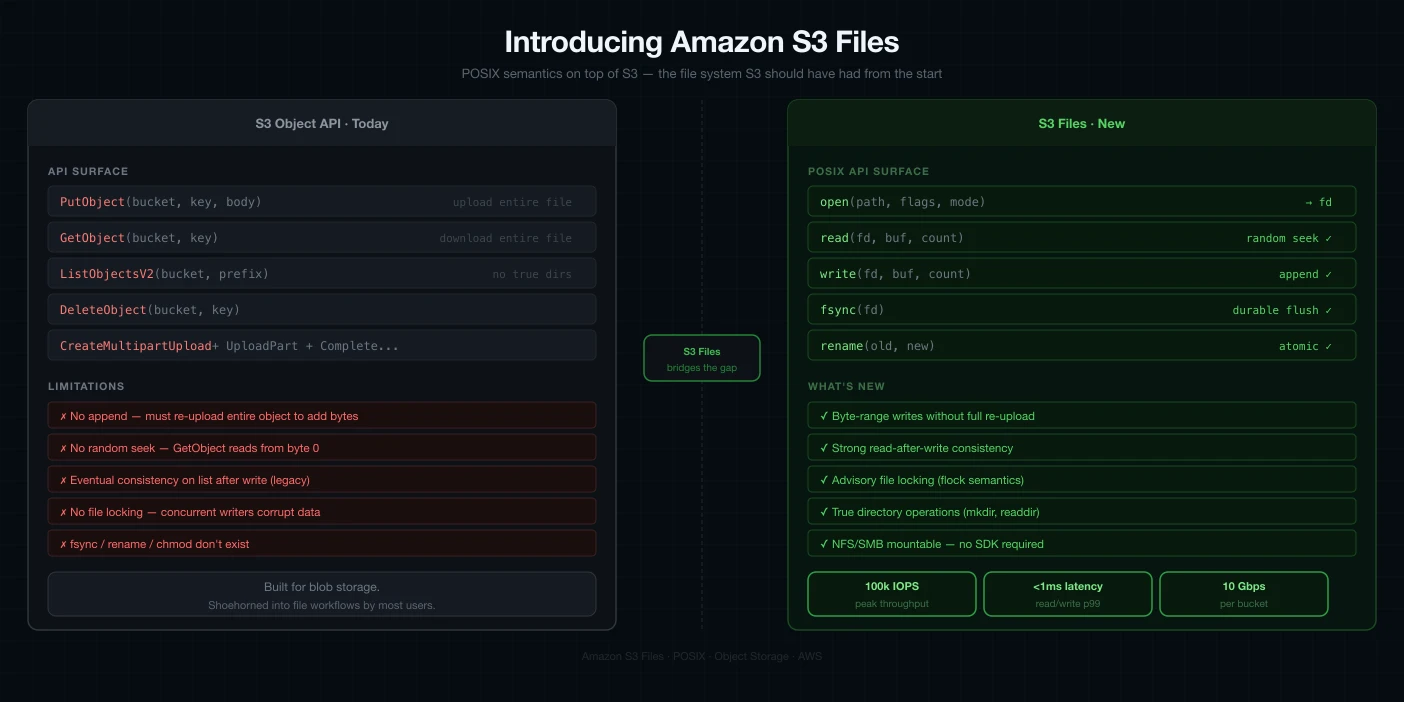
For years, we've used various abstractions to mount Amazon S3 as a file system. But as anyone who has tried to run complex data processing on these "simulated" file systems knows, they often fall short. That changed today with the announcement of Amazon S3 Files.
S3 Files is a shared file system that allows you to connect your AWS compute resources—EC2 instances and Lambda functions—directly to your data on an Amazon S3 bucket. But this isn't just another FUSE abstraction.
Not Just an Abstraction: An "Honest" File System
While tools like s3fs, S3 FUSE, or Mountpoint for Amazon S3 are useful, they aren't true file systems. They are abstractions of object storage, which brings certain limitations when dealing with high-performance semantics.
Amazon S3 Files is different. It is an actual, high-performing file system with full semantics, based on the technology behind Amazon EFS. It acts as a file system endpoint that sits strategically between your storage and your compute, providing the best of both worlds.
The S3 Files architecture: A high-performance caching layer between S3 and your compute resources.
How It Works: The High-Performance Cache
When you create an S3 file system and link it to a bucket (or a specific prefix), it first presents a traversable view of your objects. As you navigate and open files, the associated metadata and contents are loaded onto a high-performance storage layer.
- Reads: When you open a file, it loads necessary contents from S3 onto this high-performance storage without needing to ingest the entire bucket.
- Writes: You write directly to this high-performance layer. A background process then intelligently syncs these changes back to the S3 bucket.
- Efficiency: S3 Files converts file system calls into efficient S3 requests, often serving read operations directly from S3 when optimal.
The FFmpeg Test: Where Abstractions Fail
To demonstrate why "honest" file semantics matter, let's look at a common data processing task: video conversion using FFmpeg.
When FFmpeg converts a video (e.g., MP4 to MP3), it often needs to go back to the beginning of the file at the very end to write metadata. Traditional S3 mounts (like Mountpoint S3) can't handle this backward-seek-and-write operation because they are constrained by S3's object-append or overwrite-only nature.
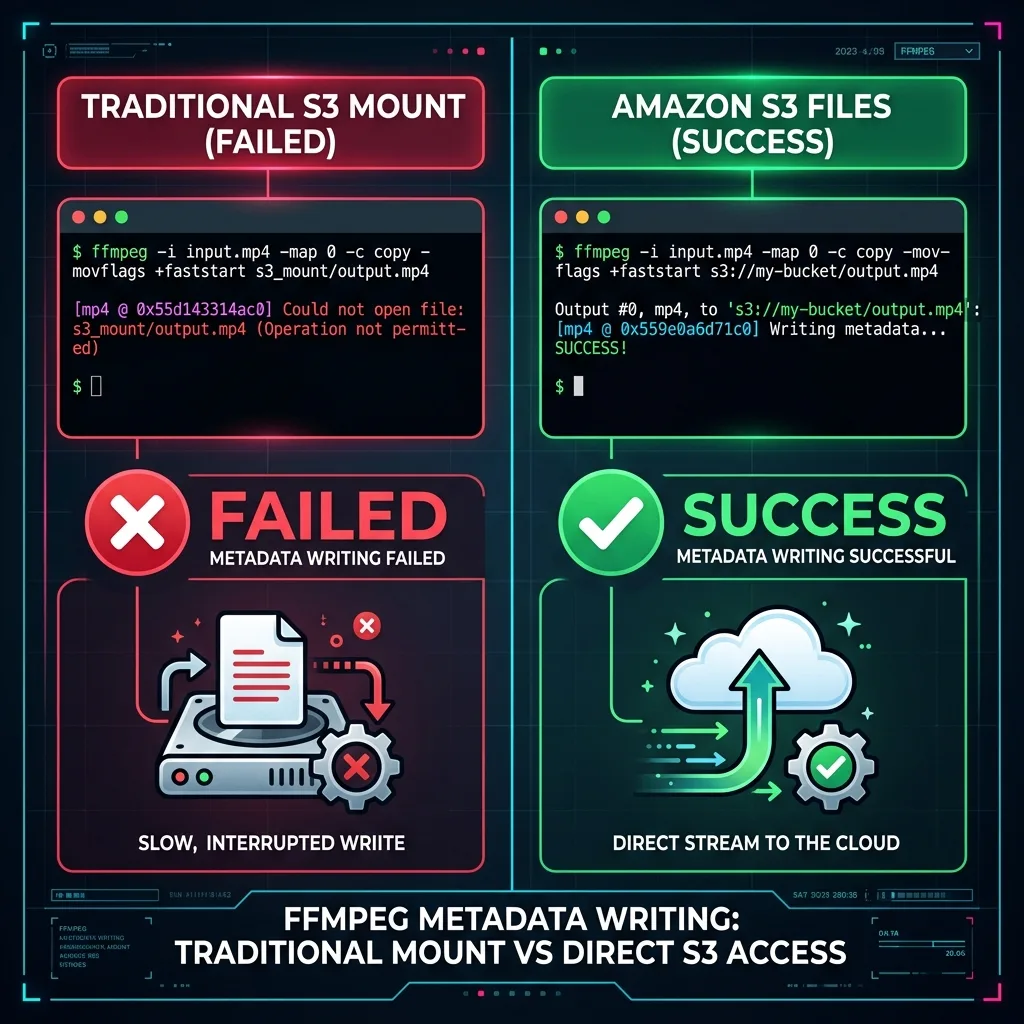
As seen in our tests, the traditional mount fails with a "Could not open file" error at the end of the process. S3 Files, however, handles the seek operation perfectly, completing the conversion with zero red text.
Getting Started
Setting up S3 Files is remarkably simple:
- Create File System: Select your VPC and the S3 bucket you wish to link.
- Configure Security: Ensure your security groups allow traffic on port 2049 (NFS).
- Mount: Use the provided mount command on your EC2 instance or Lambda.
- Permissions: Use the
AmazonS3FSClientFullAccessmanaged policy (or a tailored version) for your IAM role.
Conclusion
If you're running machine learning workloads, media processing, or any application that requires random access and high-performance file semantics, Amazon S3 Files is the bridge you've been waiting for. It combines the infinite scale of S3 with the performance and semantics of a local disk.
Ready to stop simulating and start "actually" mounting? Amazon S3 Files is available today in your AWS account.
About Hardik Shah
Hardik has watched several teams mount S3 as a filesystem and then debug the consistency surprises for a month. He works on AWS storage and data-tier design as part of his platform engagements.