driftlens: Detect Drift Across All Your Terraform Modules at Once

Hardik Shah
Cloud Architect & AWS Expert
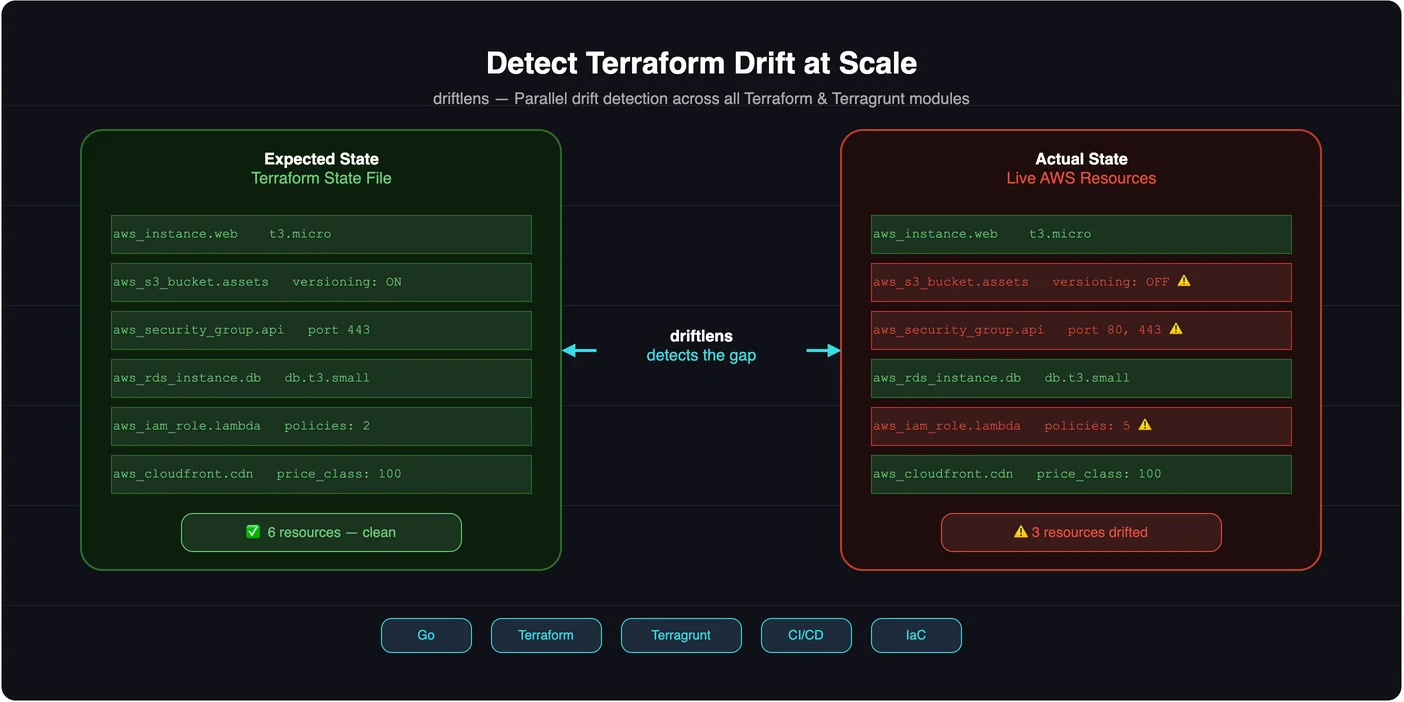
Terraform drift is one of those problems that sneaks up on you. Someone makes a quick console fix during an incident. A colleague tweaks a security group rule by hand. A managed service auto-updates a parameter. None of it shows up in your state file, not until your next terraform apply does something unexpected, or worse, until there's an incident and you can't tell what changed.
I built driftlens to solve this for repositories that have grown beyond a single module. It's a Go CLI that scans an entire directory tree for Terraform and Terragrunt root modules, runs init and plan across all of them in parallel, and gives you a consolidated view of what has drifted, with HTML and PDF reports, JSON output for CI, and exit codes that mirror Terraform's own convention.
Why Drift Is Hard to Track in Real Repos
The official answer to drift is terraform plan. Run it, read the output, see what changed. That works fine for a single module. It stops working when you have a monorepo with fifteen environments and forty modules. You'd need to:
- Find every root module in the tree
- Run
terraform initin each one - Run
terraform plan -detailed-exitcodeand capture the exit code - Aggregate the results into something readable
- Do it fast enough that it's useful
That's exactly what driftlens does. All of it, in a single command.
Install
Download a prebuilt binary from the Releases page. Each release ships archives for linux / darwin / windows × amd64 / arm64 plus achecksums.txt:
Or install with go install:
The binary and go install paths both need the terraform and/or terragrunt binary on PATH.
There's also a container image on Docker Hub. It bundles Terraform, so nothing gets installed on the host. Mount your working directory and run:
Basic Usage
Point driftlens at your infrastructure directory and it does the rest:
It recursively walks ./infra, identifies every directory that contains*.tf files (or terragrunt.hcl if you use Terragrunt), and runs init + plan concurrently across all of them. Hidden directories,.terraform/, and .git/ are skipped automatically.
The key flags:
| Flag | Default | What it does |
|---|---|---|
| --path | cwd | Root to scan; overrides the positional PATH argument |
| --tool | terraform | Switch to terragrunt for Terragrunt repos |
| --parallelism | 4 | Concurrent module workers |
| --detailed | false | Parse plan JSON to list each drifted resource |
| --cleanup | true | Delete the .terraform cache after each module is evaluated |
| --upgrade | false | Pass -upgrade to init |
| --plugin-cache-dir | off | Shared provider plugin cache directory across modules |
| --format | console | console or json on stdout |
| --report | html | none, html, pdf, or both |
| --report-dir | report | Directory the HTML/PDF report files are written to |
| --timeout | 10m | Per-module init+plan timeout |
| --log-level | info | debug, info, warn, or error |
| --lock | false | Runs plan with -lock=false; drift detection only reads state, so it never takes the lock. Pass --lock to force locking |
Per-Resource Drift Detail
By default, driftlens tells you which modules have drifted. Add --detailedand it tells you which resources and what changed:
When --detailed is set, driftlens re-runs plan to a tfplan file, then uses show -json to parse every resource whose change.actionsis not ["no-op"], plus captures the human-readable diff block for each one. The HTML and PDF reports always collect per-resource detail automatically. You don't need the flag for reports, only for the console output.
CI Gating with Exit Codes
The exit code design mirrors terraform plan -detailed-exitcode exactly, so any CI system that already handles Terraform exit codes works without modification:
| Exit Code | Meaning |
|---|---|
| 0 | All modules clean |
| 2 | At least one module drifted (no errors) |
| 1 | At least one module errored (or bad flags / unreadable path) |
A GitHub Actions drift-gate job that runs the Docker Hub image and stores the HTML report as a build artifact looks like this:
Exit code 2 fails the job, so the team gets a notification when drift is found. The HTML report is uploaded as an artifact, so engineers can download and search it without needing access to the CI runner.
HTML and PDF Reports
By default, driftlens writes a styled HTML report to report/drift-report.html. The report groups output by module, with a header band showing the directory, tool, and status badge, followed by a per-resource table with columns for action, resource address, and the raw plan diff.
The HTML report includes:
- Client-side search: type an address like
aws_iam_policyto filter to matching resource rows, collapsing unmatched modules - Status filter buttons: All / Drift / Error / Clean, no server required
- Full plan diff per resource, so you can see exactly what changed
The PDF report is generated by a pure-Go engine (no external binary required). It lacks the search UI but is suitable for audit trails and asynchronous review. Use --report=bothto generate both formats in one run.
Why This Matters Beyond a Single Team
Drift is not just a developer productivity issue. It is a security and compliance issue. A security group with an extra inbound rule that nobody remembers adding. An IAM role that accumulated policies through break-glass access that was never revoked. An S3 bucket with versioning disabled after a one-off storage optimization. None of these show up in your code review process, and none of them are visible until someone runs a plan.
In multi-account AWS environments, this compounds. Drift in a development account is usually low risk. Drift in a production account that runs financial transactions or holds customer data is an entirely different conversation. Running driftlens on a schedule across all of your environments, not just production, gives you a continuous signal rather than a periodic surprise.
The goal is to make drift visible as early as possible, on a cadence that matches how often your infrastructure changes. That way, when something does drift, you find out within hours rather than weeks.
Getting Started
Install the binary, point it at your infra directory, and run it once to see the current state of your modules. Then wire it into a scheduled CI job so drift never goes undetected.
About Hardik Shah
Hardik wrote driftlens after running terraform plan across dozens of modules by hand one too many times. He maintains it alongside his consulting work on Terraform estates.