AWS EKS Auto Mode: A Game-Changer or Just Hype?

Hardik Shah
Cloud Architect & AWS Expert
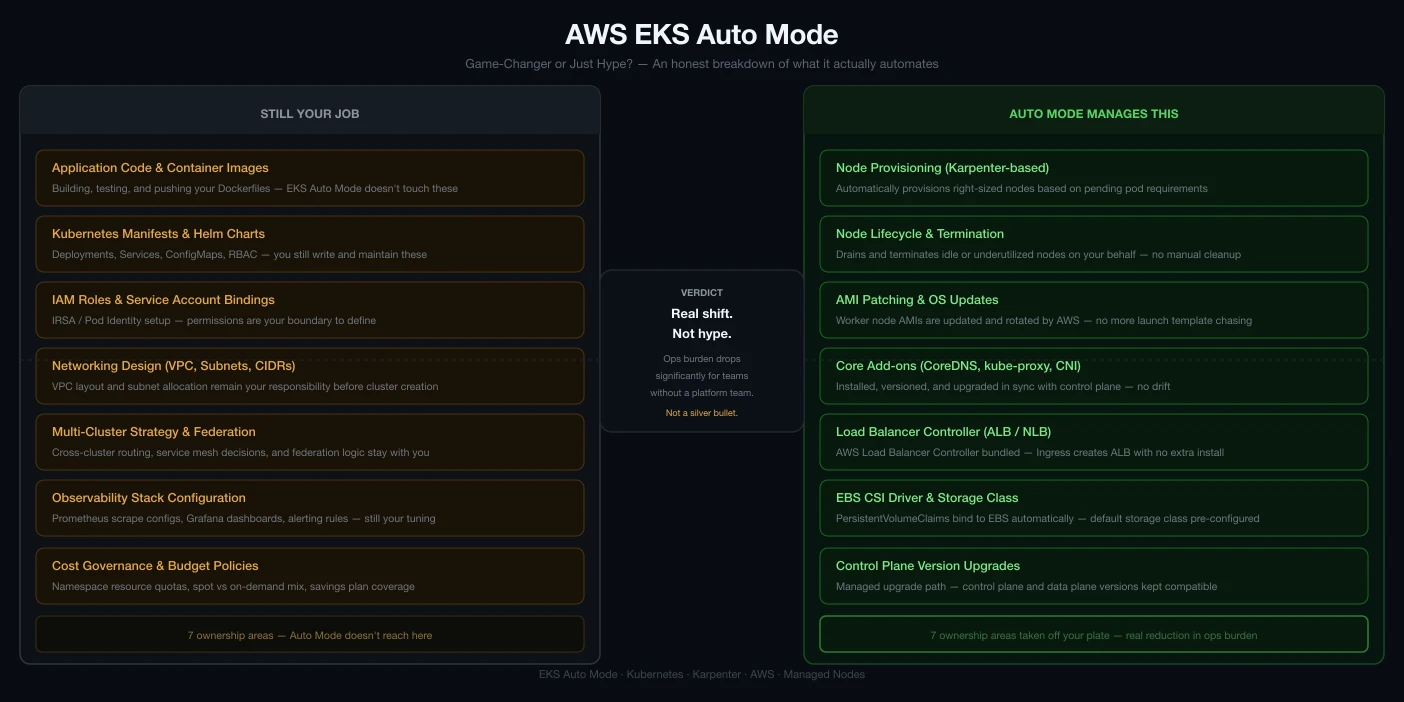
AWS EKS Auto Mode, announced at re:Invent 2024, promises to make Kubernetes cluster management as simple as a single click. But is it truly a game-changer, or just more AWS hype? Here's a summary and analysis of the key points, based on this in-depth review.
What is EKS Auto Mode?
EKS Auto Mode is designed to automate the setup, scaling, and management of Kubernetes clusters on AWS. With Auto Mode, you can create a production-ready cluster with a single click, and AWS handles compute, storage, networking, and scaling for you. It's built for simplicity, speed, and security, using best practices by default.
Key Benefits
- No More Setup Drama: Cluster creation and configuration are fully automated.
- Automatic Scaling & Optimization: Resources scale up or down as needed, with AWS picking the best EC2 instance types for your workloads.
- Self-Healing: Node failures are detected and remediated automatically.
- Secure by Default: Uses BottleRocket OS, disables direct node access (SSH/SSM), and handles OS patching.
- Time & Cost Savings: Less manual work, faster launches, and optimized resource usage.
How Does It Work?
When you create a cluster in Auto Mode, AWS provisions two managed node pools: a general-purpose pool for your apps and a system pool for Kubernetes components. You deploy apps as usual, and Auto Mode provisions compute, storage, networking, and load balancers automatically. The cluster scales and heals itself as needed.
Limitations & Drawbacks
- No Direct Node Access: You cannot SSH or use SSM to access nodes. All troubleshooting must be done via Kubernetes tools or AWS services like CloudWatch.
- Limited Customization: Node pool instance types and categories are mostly predefined. Advanced customizations require CLI or API usage.
- Control Plane Upgrades: Auto Mode only upgrades node pools automatically; you must upgrade the control plane manually.
- Extra Charges: EKS Auto Mode incurs additional management fees on top of EC2 costs.
- Karpenter Dependency: Auto Mode relies on Karpenter for dynamic compute management, which may introduce complexity for advanced use cases.
- Compatibility Issues: Some workloads needing custom kernel modules, specific networking, or advanced RBAC may not be fully supported.
Best Use Cases
- Teams seeking fast, low-maintenance Kubernetes clusters
- Workloads that fit standard AWS best practices
- Organizations prioritizing security and operational simplicity
When to Avoid
- Workloads requiring direct node access or custom OS/kernel modules
- Highly specialized networking or storage needs
- Strict cost controls (due to extra management fees)
Conclusion
EKS Auto Mode is a major step forward for Kubernetes on AWS, making cluster management accessible and efficient for most use cases. However, it's not a one-size-fits-all solution—advanced users with custom requirements may still prefer EKS Standard Mode. For many, though, EKS Auto Mode really does feel like Kubernetes on "easy mode."
About Hardik Shah
Hardik is a dedicated Cloud Architect specializing in AWS solutions and DevOps automation. With years of industry experience, he focuses on building scalable, resilient architectures and sharing technical insights to help teams optimize their cloud-native journeys.