Rapid K8s Deployment in Local with Tilt

Hardik Shah
Cloud Architect & AWS Expert
Modern application development has evolved far beyond single-service applications. Today's applications are distributed systems with multiple microservices, databases, message queues, and numerous dependencies—all orchestrated with Kubernetes. While this architecture offers tremendous benefits in production, it creates significant challenges for local development environments.
The Microservices Development Problem
The Traditional Pain Points
Developing with microservices typically involves juggling multiple moving parts. You need to:
- Build and rebuild container images for each service
- Push images to registries
- Apply Kubernetes manifests
- Set up port forwarding for each service
- Monitor logs across multiple terminals
- Restart services when dependencies change
- Maintain consistency between local dev and production environments
This process can take minutes for each code change, destroying the rapid feedback loop that developers depend on. The complexity multiplies when you have 4, 5, or even 10+ microservices in your application stack.
Tilt: Development Environment as Code
Tilt automates the code-build-deploy-test cycle for teams deploying to Kubernetes. It treats your development environment as code — define, version, and share your entire dev stack through one configuration file called a Tiltfile.
How Tilt Works
Smart Rebuilds and Dependency Management
Unlike traditional approaches that rebuild everything on every change, Tilt intelligently tracks dependencies between your services, images, and Kubernetes resources. When you change a file in your frontend code, Tilt knows to rebuild only the frontend service—not your entire backend stack.
Live Updates: Hot Reload for Kubernetes
One of Tilt's most powerful features is live updates. Instead of rebuilding container images and redeploying pods for every code change, Tilt can sync changed files directly into running containers. This reduces feedback time from minutes to seconds.
For interpreted languages like Python or JavaScript, this means your changes appear almost instantly. For compiled languages like Go, Tilt can sync the binary and restart the process inside the existing container—still much faster than a full rebuild cycle.
Unified Dashboard and Monitoring
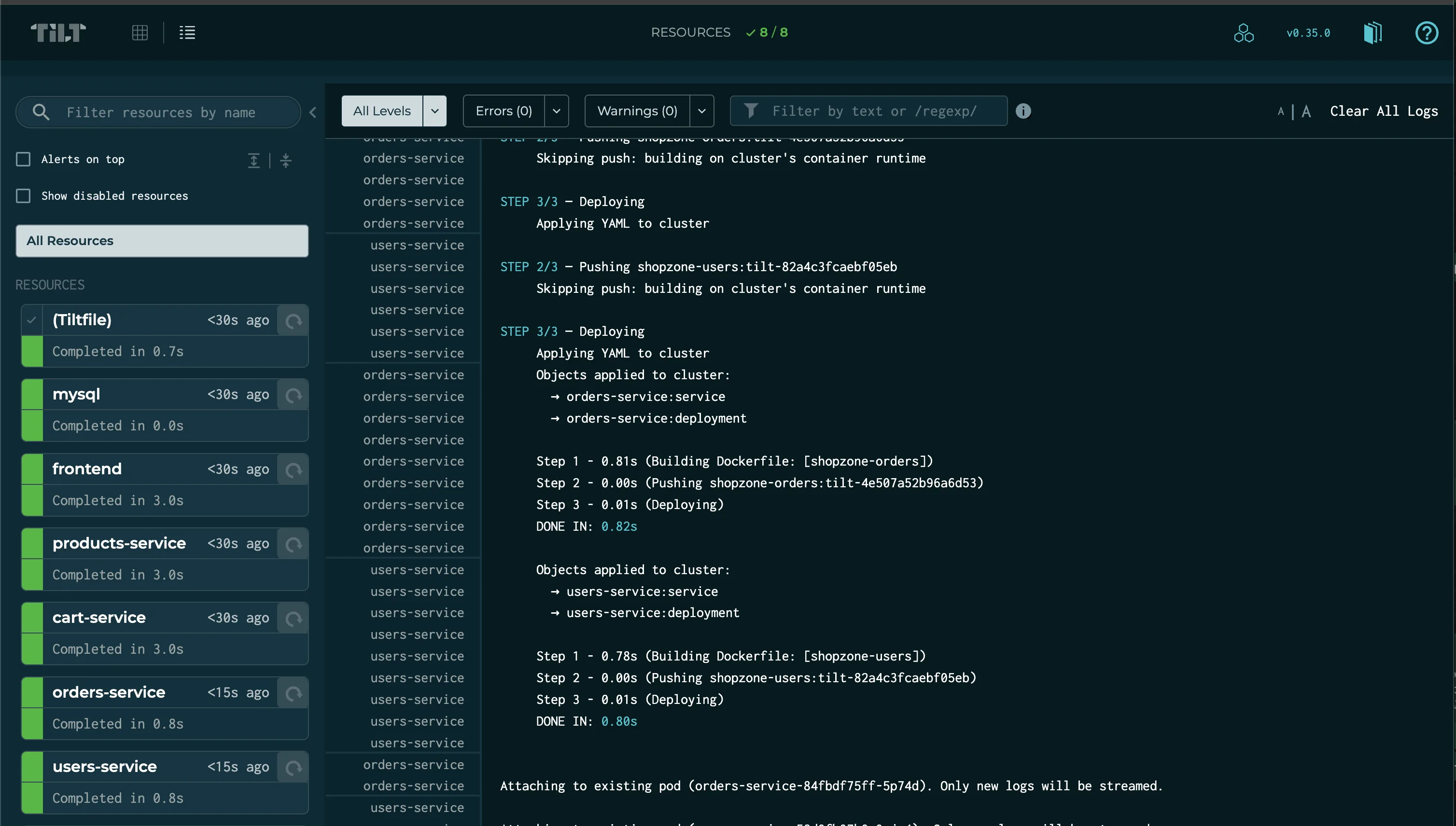
Tilt provides a web-based dashboard for your entire development environment. Instead of managing multiple terminal windows for logs, you see the status, logs, and errors for all your services in one place.
Understanding Tiltfiles: Your Development Blueprint
Tiltfile Fundamentals
A Tiltfile is written in Starlark, a Python-like dialect that makes it both powerful and readable. The basic building blocks include:
docker_build()- Defines how to build container imagesk8s_yaml()- Specifies Kubernetes manifests to deployk8s_resource()- Configures service-specific settings like port forwardinglive_update- Defines rules for fast in-place updates
ShopZone Example: Real-World Configuration
Let's examine how ShopZone uses Tilt to manage its microservices architecture. The main Tiltfile acts as an orchestrator:
Each service has its own focused Tiltfile. For example, the frontend service:
This configuration:
- Builds the frontend container image
- Sets up live updates for source and public files
- Deploys using Helm templates
- Configures port forwarding on port 8080
Advanced Tiltfile Patterns
Beyond basic configurations, Tiltfiles support sophisticated patterns:
Conditional Logic: Use Python-like conditionals to adapt to different environments:
Live Updates in Detail
How Live Updates Work
Live updates are defined as a list of steps that Tilt executes when files change. The steps run in order:
fall_back_on()- Files that trigger full rebuilds when changedsync()- Files to copy directly into containersrun()- Commands to execute after syncing
Tilt vs. Alternatives: Why Choose Tilt?
Choose Tilt over Skaffold when you want a live web UI and a config file you can program. The Tiltfile is Starlark, so conditionals and loops replace copy-pasted YAML, and Tilt's live updates sync individual files and run commands inside the container instead of rebuilding the image.
| Feature | Tilt | Skaffold |
|---|---|---|
| Interface | Web UI + Real-time updates | CLI-focused |
| Configuration | Starlark (Programmable) | YAML (Static) |
| Live Updates | Native / Granular | File sync only |
Setting Up Your Environment
Quick Start Command:
Conclusion
Tilt treats development environments as code: intelligent rebuilds, live feedback, and one config file instead of a dozen manual steps per code change.
"Want to see Tilt in action? Check out the ShopZone E-commerce Store repository for a complete example of Tilt managing a real-world microservices application."
About Hardik Shah
Hardik is a dedicated Cloud Architect specializing in AWS solutions and DevOps automation. With years of industry experience, he focuses on building scalable, resilient architectures and sharing technical insights to help teams optimize their cloud-native journeys.